Lesson 8 · Voice Recognition
What is this lesson about?
This lesson focuses on one core idea: voice commands.
Unlike distance or light sensors, the voice module does not keep returning a changing number.
It behaves more like this: once it hears a command, it returns the matching command ID.
Learning goals
- Know the default wake phrases and common built-in command phrases
- Read the command ID returned by the voice module
- Map a few common command IDs to robot actions
- Understand the difference between voice input and continuous sensor input
- Complete a simple "listen and act" program
Hardware and APIs used
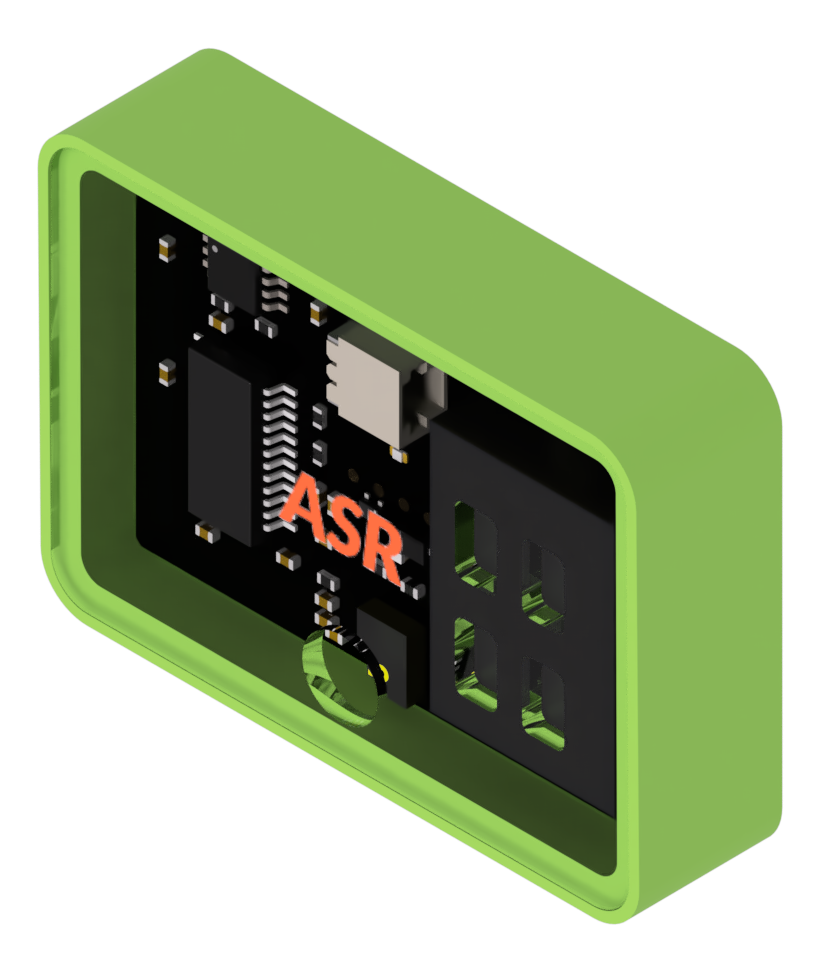
This lesson requires the ASR voice recognition module.
The main APIs used here are:
cm.power_on(): power on the expansion modulescm.asr_get_command(): read the latest command ID. It usually returns0when there is no new command.cm.asr_play_command(cmd_id): play back the phrase for a given command IDcocube.move_ms(direction, speed, ms): perform one short movement actioncocube.rotate_ms(direction, speed, ms): perform one short turncocube.brake(): stop with braking
First, understand what this capability means
Voice recognition is different from distance or light sensing in one obvious way:
- distance and light are continuous inputs
- voice commands are discrete events
So the programs in this lesson look very much like "wait for a trigger":
- if a command is heard, act
- if not, keep waiting
Before you start writing code, also remember the normal use order:
- speak a wake phrase first
- wait for the module to enter listening mode
- then speak the command phrase
- read the returned command ID in code
The default wake phrases are:
你好小智小智你好
If the module has been trained before, a learned wake phrase may also exist as ID 1.
These built-in command IDs are enough to remember first:
| ID | Spoken phrase | Good first use |
|---|---|---|
19 | 前进 | first movement test |
20 | 后退 | first movement test |
21 | 停车 | first movement test |
22 | 左转九十度 | extended action |
25 | 右转九十度 | extended action |
28 | 加速一档 | extended action |
29 | 减速一档 | extended action |
82 | 打开夹爪 | expansion-module linkage |
83 | 关闭夹爪 | expansion-module linkage |
Start coding
1. First inspect which command ID the module returns
import time
import cocube_module as cm

cm.power_on()
time.sleep_ms(500)

while True:
    command = cm.asr_get_command()

    if command:
        print("command =", command)

    time.sleep_ms(50)
Run this first and make sure the module can return command IDs stably.
1.1 What should you say first?
Use this rhythm for testing:
- say
你好小智or小智你好first - wait for the module to respond
- then say
前进,后退, or停车
If the module has been retrained before, you can also try your custom wake phrase.
2. Bind three common commands to robot actions
Start with the smallest useful set:
19: forward20: backward21: stop
import time
import cocube
import cocube_module as cm

cm.power_on()
time.sleep_ms(500)

while True:
    command = cm.asr_get_command()

    if command == 19:
        print("received forward command")
        cm.asr_play_command(19)
        cocube.move_ms(cocube.FORWARD, 25, 500)
    elif command == 20:
        print("received backward command")
        cm.asr_play_command(20)
        cocube.move_ms(cocube.BACKWARD, 25, 500)
    elif command == 21:
        print("received stop command")
        cm.asr_play_command(21)
        cocube.brake()

    time.sleep_ms(50)
The key point in this program is simple:
the same numeric ID can mean any robot action you choose to assign to it.
What should you observe while it runs?
When you run this lesson, focus on these effects:
- when there is no new command,
asr_get_command()usually returns0 - when a command arrives, the action is a one-time trigger, not a continuous state
- forward, backward, and stop are the best first command group to test
- make recognition stable first, then add more complex action combinations
Common issues / reminders
- after power-on, the module needs a little time to get ready
- the quieter the environment, the more stable recognition is
- speak a wake phrase first, then the command phrase; saying only the command phrase usually does not trigger anything
- get 2 or 3 commands working first, then add more
- if nothing happens, print the command ID first instead of debugging the action logic immediately
If you want to use your own command phrases
cocube-learn has a more complete operational guide for training. Here we only keep the programming details you need most.
1. Learn a new wake phrase
The wake phrase moves the module from standby into listening mode.
Use this order:
- wake the module first with the default wake phrase
你好小智or小智你好 - say
学习唤醒词 - follow the voice prompt and say the wake phrase you want to set
- after the module confirms it, test the new wake phrase once
Notes:
- before relearning, it is best to delete the old learned wake phrase first
- keep the new wake phrase short and distinct from common command phrases
- a quiet environment helps a lot
2. Learn new command phrases
If you do not want to use only the default commands such as 前进, 后退, and 停车, you can record your own command phrases.
Use this order:
- wake the module with a wake phrase
- say
学习命令词 - follow the prompt to record your command phrases one by one
- each successful new phrase occupies a new command ID
The most important point is:
- learned command IDs start from
4 - the first learned phrase is usually
4 - the second is usually
5 - the third is usually
6
So after training, it is best to run the print-only program first, confirm which ID belongs to which phrase, and only then write the action mapping.
3. Delete learned entries
If you trained something incorrectly or want to start over:
- wake the module first
- say
我要删除 - then choose one of the prompted options:
删除命令词删除唤醒词全部删除退出删除
Challenge
Build your own "custom command remote-control car":
- train 3 custom command phrases
- run the print-only program to confirm their IDs
- map the 3 IDs to forward, backward, and stop
- add one extra command such as turn left or open the gripper
If you want to extend it further, try:
- supporting both the default command phrases and your custom phrases
- giving different commands different screen prompts or audio feedback
- adding one more turning or gripping action
Reference code: control CoCube with learned custom commands
import time
import cocube
import cocube_module as cm

cm.power_on()
time.sleep_ms(500)

while True:
    command = cm.asr_get_command()

    if command == 4:
        cocube.move_ms(cocube.FORWARD, 25, 600)
    elif command == 5:
        cocube.move_ms(cocube.BACKWARD, 25, 600)
    elif command == 6:
        cocube.brake()
    elif command == 7:
        cocube.rotate_ms(cocube.LEFT, 25, 500)

    time.sleep_ms(50)
This example maps the first four learned commands to forward, backward, stop, and turn left.
If your training order is different, replace 4/5/6/7 with the IDs you actually observed.
Quick reference
The most common pattern in this lesson is:
import cocube_module as cm

cm.power_on()
print(cm.asr_get_command())
cm.asr_play_command(19)
cm.power_on(): power on the expansion modulescm.asr_get_command(): read the latest command IDcm.asr_play_command(id): play the matching spoken responsecocube.move_ms(...): perform one short actioncocube.brake(): stop
If you want to keep looking up peripheral APIs, go to the cocube_module reference.