Lesson 6 · NeoPixel Light Board
What is this lesson about?
This lesson focuses on one core idea: making light part of the program output.
The NeoPixel board is great for three kinds of tasks:
- showing status
- building dynamic effects
- practicing loops and indexed control
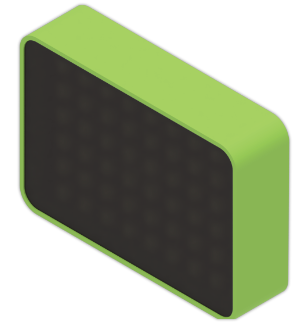
The board has 48 LEDs arranged from left to right and top to bottom, which you can think of as 6 rows by 8 columns.
Learning goals
- Power on and initialize the NeoPixel board
- Light all LEDs at once
- Control a single LED by index
- Build basic effects such as running lights, row rotation, and color shifts
- Understand the pattern of "lay out a light pattern first, then animate it"
Hardware and APIs used
This lesson requires the NeoPixel light board.
The main APIs used here are:
cm.power_on(): power on the expansion modulescm.neopixel_attach(n=48): initialize the NeoPixel board.48is the usual count for the CoCube board.cm.neopixel_set_all(r, g, b): set all LEDs to the same RGB colorcm.neopixel_set(i, r, g, b): set LEDiby RGB; indexing starts from1, not0cm.neopixel_set_color(i, color): set LEDiwith an integer color valuecm.neopixel_clear(): turn off all LEDscm.neopixel_rotate(n=1): rotate the current patterncm.neopixel_shift_all_colors(delta): shift the hue of the whole pattern, useful for gradients and rainbow effectscm.color_from_rgb(r, g, b): pack RGB into a single integer colorcm.random_color(): generate a random display-ready color
First, understand what this capability means
NeoPixel is similar to the screen in that both are output devices.
The difference is:
- the screen is better for text and graphics
- NeoPixel is better for color and animation feedback
The code in this lesson repeats two actions again and again:
- set some LEDs to the colors you want
- use loops to change them over time
Start coding
1. Light up the whole board first
import time
import cocube_module as cm

cm.power_on()
time.sleep_ms(300)
cm.neopixel_attach(48)

cm.neopixel_set_all(0, 120, 255)
Confirm the most basic step first:
- the module powers on correctly
- the board initializes correctly
- all LEDs can light up together
To turn them off again, add one line:
cm.neopixel_clear()
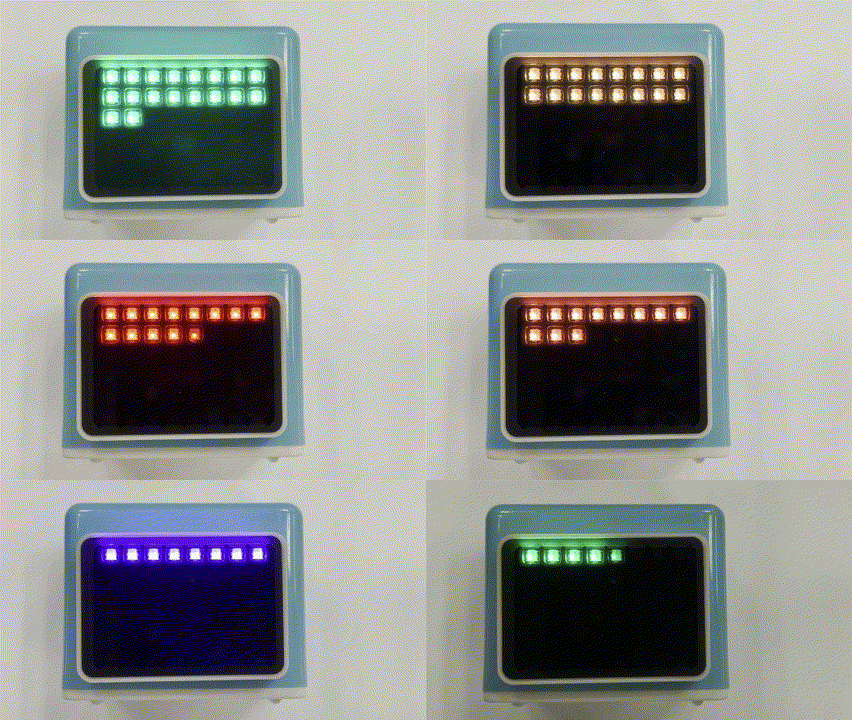
2. Light one LED at a time for the simplest running light
import time
import cocube_module as cm

cm.power_on()
time.sleep_ms(300)
cm.neopixel_attach(48)

while True:
    for i in range(1, 49):
        cm.neopixel_clear()
        cm.neopixel_set(i, 255, 80, 0)
        time.sleep_ms(60)
This is a good program for understanding two key points:
- NeoPixel numbering goes from
1to48 - a
forloop lets one action repeat in sequence
3. Lay out one full row, then rotate it
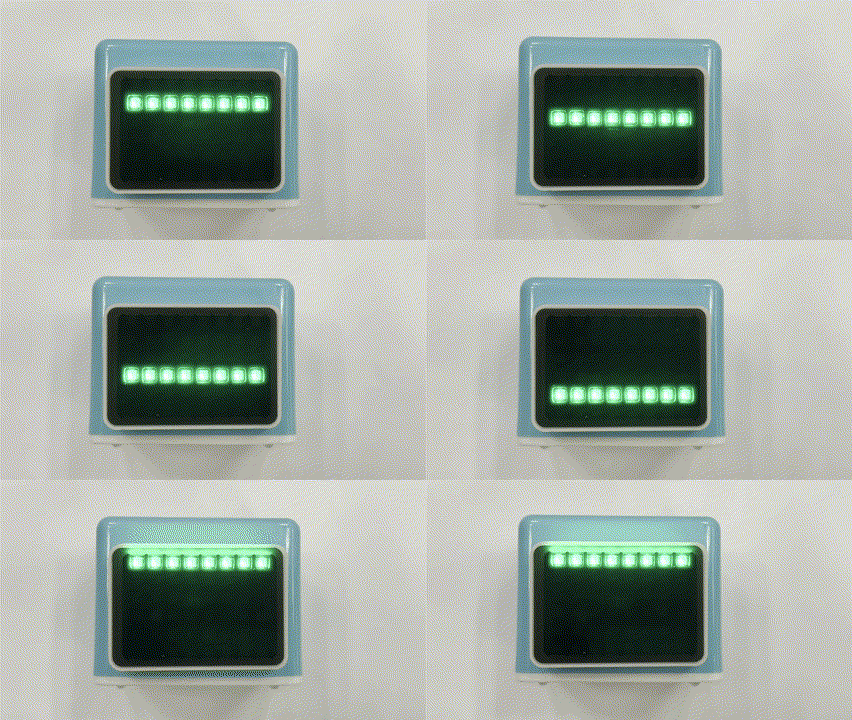
Because each row has 8 LEDs, if you light LEDs 1~8 first and then call rotate(8), the whole lit row moves together.
import time
import cocube_module as cm

cm.power_on()
time.sleep_ms(300)
cm.neopixel_attach(48)
cm.neopixel_clear()

for i in range(1, 9):
    cm.neopixel_set(i, 0, 255, 80)

while True:
    cm.neopixel_rotate(8)
    time.sleep_ms(120)
4. Make the whole board shift colors
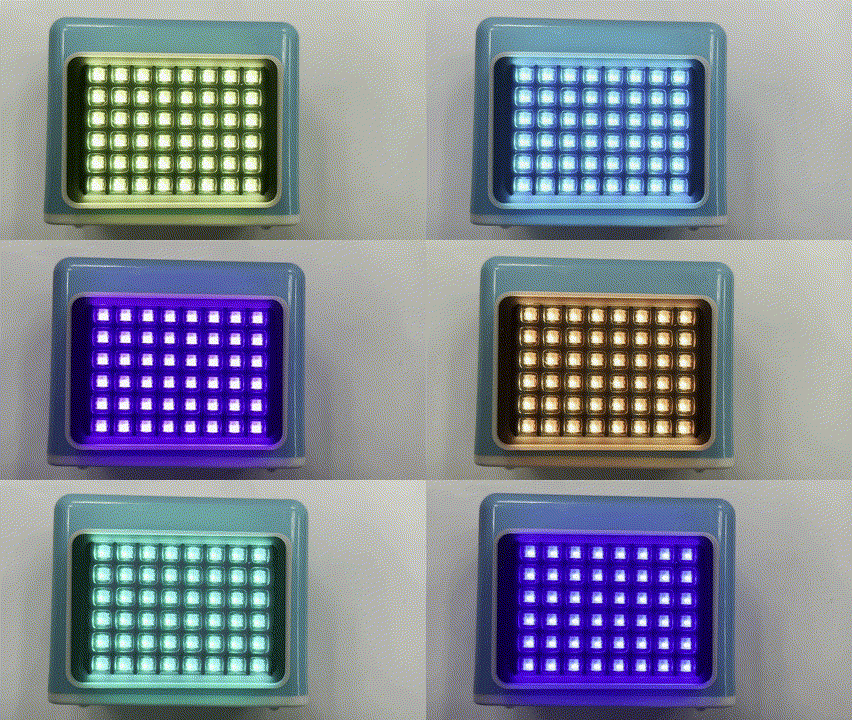
If you already have a color pattern, you can continue by slowly shifting the hue of the whole board.
import time
import cocube_module as cm

cm.power_on()
time.sleep_ms(300)
cm.neopixel_attach(48)

base_colors = [
    cm.color_from_rgb(255, 0, 0),
    cm.color_from_rgb(255, 128, 0),
    cm.color_from_rgb(255, 255, 0),
    cm.color_from_rgb(0, 180, 255),
]

for i in range(1, 49):
    cm.neopixel_set_color(i, base_colors[(i - 1) % len(base_colors)])

while True:
    cm.neopixel_shift_all_colors(4)
    time.sleep_ms(80)
What should you observe while it runs?
When you run this lesson, focus on these effects:
- whether the LED numbering changes in the order you expect
- whether row rotation really moves the pattern by
8LEDs each time - whether different colors feel very different in brightness
- if the animation is too fast or too slow, how much changing
sleep_ms()helps
Common issues / reminders
- NeoPixel can consume noticeable power; sustained full brightness drains the battery faster
- LED numbering starts at
1; if you write it from0, the effect is usually wrong - It is best to test NeoPixel by itself before combining it with other peripherals
- AI camera mode occupies
GPIO22, so NeoPixel cannot be used at the same time
Challenge
Try building a "status light board":
- one color for standby
- another color while running
- a third color when finished
If you want to extend it further, change from "one color for the whole board" to "a different color for each row," then rotate the whole pattern.
Reference code
import time
import cocube_module as cm

cm.power_on()
time.sleep_ms(300)
cm.neopixel_attach(48)

row_colors = [
    cm.random_color(),
    cm.random_color(),
    cm.random_color(),
    cm.random_color(),
    cm.random_color(),
    cm.random_color(),
]

for row in range(6):
    color = row_colors[row]
    for col in range(8):
        idx = row * 8 + col + 1
        cm.neopixel_set_color(idx, color)

while True:
    cm.neopixel_rotate(8)
    time.sleep_ms(150)
Quick reference
The most common pattern in this lesson is:
import cocube_module as cm

cm.power_on()
cm.neopixel_attach(48)
cm.neopixel_set_all(0, 0, 255)
cm.neopixel_attach(48): initialize 48 LEDscm.neopixel_set_all(...): set all LEDs to one colorcm.neopixel_set(i, ...): set one LED by RGBcm.neopixel_set_color(i, color): set one LED by integer color valuecm.neopixel_rotate(...): rotate the existing patterncm.neopixel_shift_all_colors(...): shift the colors of the existing pattern
If you want to keep looking up peripheral APIs, go to the cocube_module reference.