Lesson 9 · Introduction to the AI Camera
What is this lesson about?
Most earlier modules read a single value, such as distance, brightness, or a command ID.
The AI camera goes one step further: it reads targets and features from an image.
The goal of this lesson is not to mix all visual abilities together at once.
Instead, learn to read results stably first, then map those results to actions.
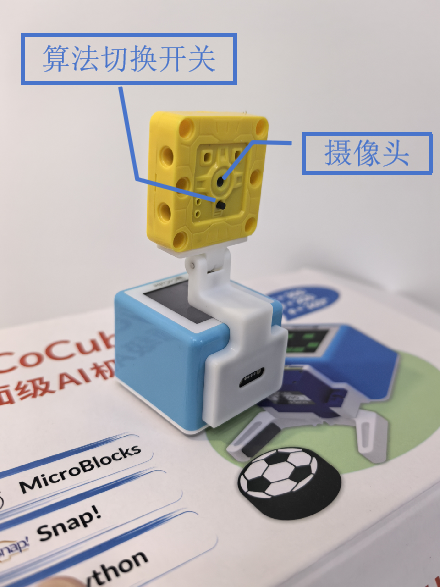
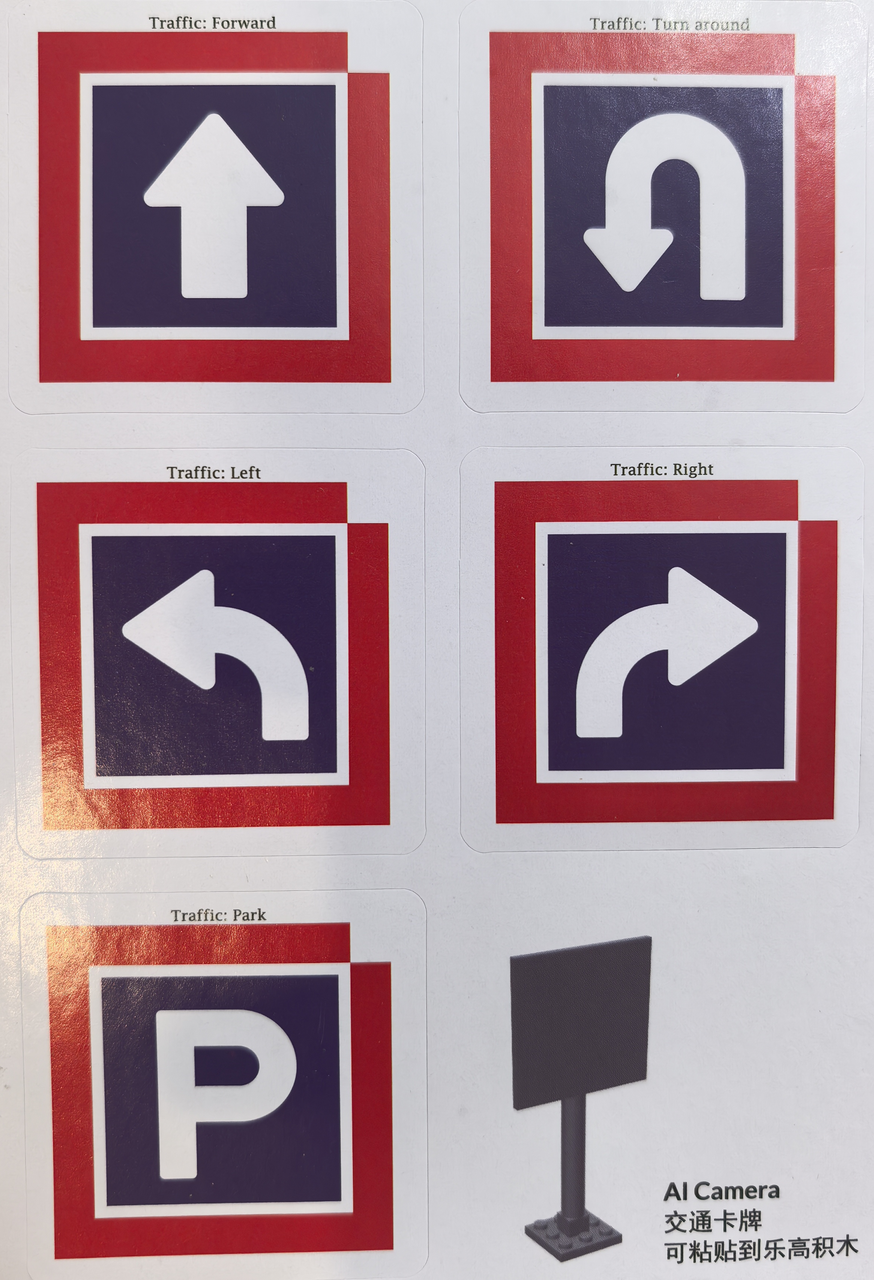
Learning goals
- Understand the relationship between
init(),change_algo(), and the read functions - Know why vision tasks should be done one at a time
- Get one minimum example running for card recognition, color recognition, and line following
- Translate visual results into screen feedback or robot actions
Hardware and APIs used
This lesson uses cocube_sengo2 as the main example.
If you are using cocube_sengo1, the overall idea and most function names are still very similar.
The main APIs used here are:
sg2.init(): initialize the camera and wait until it is readysg2.change_algo(mode): switch algorithmssg2.read_card(): read the recognized card namesg2.get_card(tag): read detection-box values such as"w"for widthsg2.read_color(): read the recognized color namesg2.get_color_rgb(channel): read the RGB componentssg2.get_line(tag): read line-following resultsdisplay.init(): initialize the display for screen feedbackdisplay.color565(r, g, b): convert RGB to a screen colordisplay.write(...): show text on the screentft.fill(color): fill the whole screen with a colorcocube.move_ms(...): short forward/backward actioncocube.rotate_ms(...): short turning actioncocube.set_wheel(left, right): directly set left and right wheel outputcocube.brake(): stop when the target is lost or when you need to park
This lesson only uses Card Recog, Color Recog, and Line Detect.
First, understand what this capability means
The most important rule in this lesson is:
- do one vision task at a time
A safe order is:
- initialize the camera first
- switch to one algorithm
- print the result first
- then convert the result into an action or screen effect
Start coding
1. Card recognition: see a card, do the matching action
Card recognition gives very clear results, so it is the best first vision task.
import time
import cocube
import cocube_sengo2 as sg2

sg2.init()
time.sleep_ms(1000)
sg2.change_algo("Card Recog")

while True:
    card = sg2.read_card()

    if isinstance(card, str) and sg2.get_card("w") > 25:
        print("card =", card)

        if card == "forward":
            cocube.move_ms(cocube.FORWARD, 25, 500)
        elif card == "turn_left":
            cocube.rotate_ms(cocube.LEFT, 25, 700)
        elif card == "turn_right":
            cocube.rotate_ms(cocube.RIGHT, 25, 700)
        elif card == "park":
            cocube.brake()

    time.sleep_ms(100)
The key detail here is sg2.get_card("w") > 25.
It helps you filter out cards that are too far away or too small.
2. Color recognition: show what the camera sees directly on the screen
Color recognition is especially good when combined with the display.
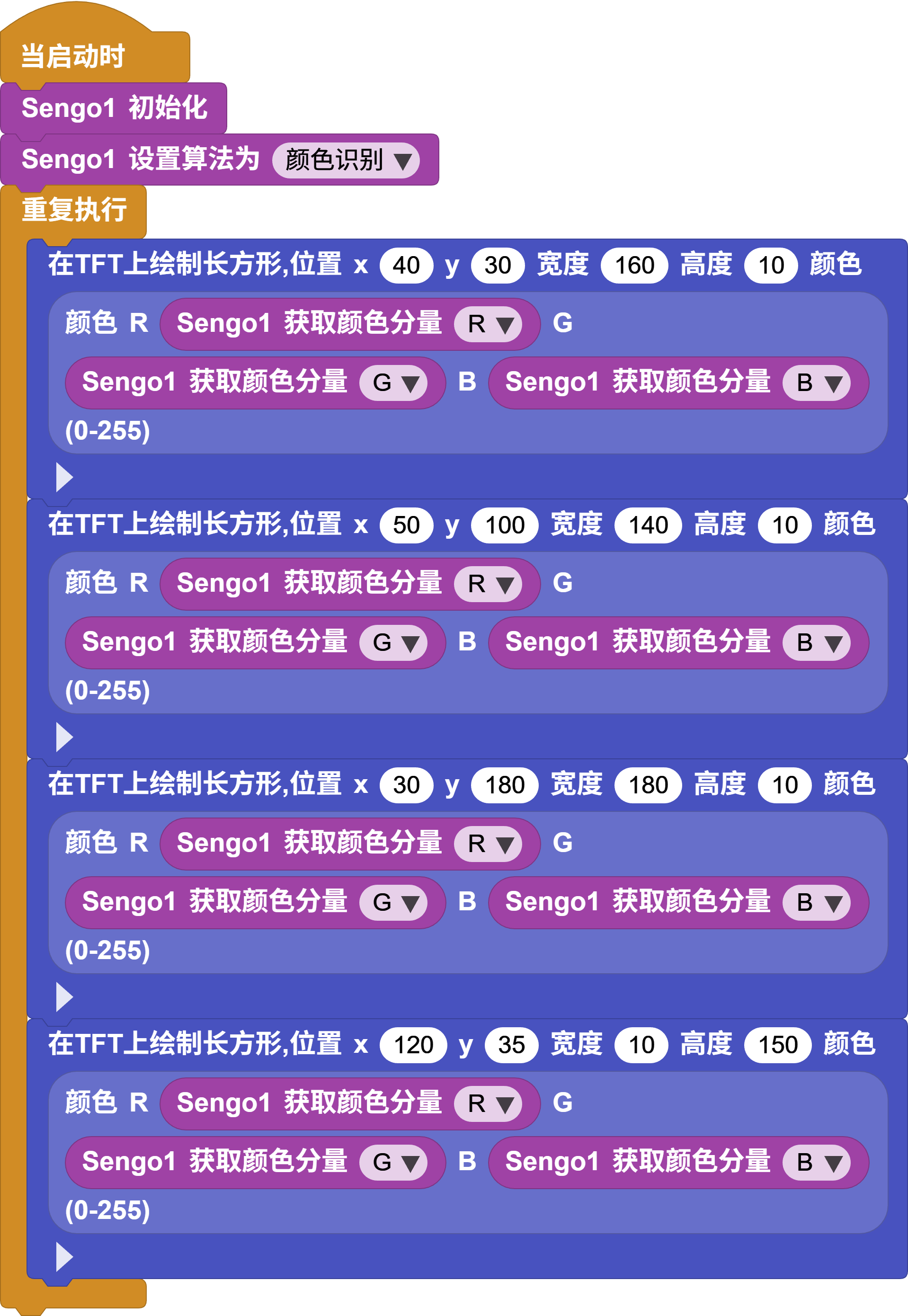
import time
import display
import cocube_sengo2 as sg2

tft = display.init()
sg2.init()
time.sleep_ms(1000)
sg2.change_algo("Color Recog")

while True:
    color_name = sg2.read_color()

    if isinstance(color_name, str):
        r = sg2.get_color_rgb("R")
        g = sg2.get_color_rgb("G")
        b = sg2.get_color_rgb("B")
        color = display.color565(r, g, b)

        tft.fill(color)
        display.write(color_name, 70, 110, display.WHITE, color)

    time.sleep_ms(150)
3. Line following: keep correcting the direction from the line position
Line following emphasizes control more than the first two tasks because it must keep adjusting the wheels based on the image.
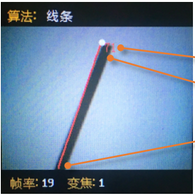
import time
import cocube
import cocube_sengo2 as sg2

sg2.init()
time.sleep_ms(1000)
sg2.change_algo("Line Detect")

base_speed = 20

while True:
    x2 = sg2.get_line("x2")
    angle = sg2.get_line("degree")

    if isinstance(x2, int) and isinstance(angle, int):
        error = (x2 - 50) / 6 + (90 - angle) / 6
        left = int(base_speed + error)
        right = int(base_speed - error)

        left = max(-50, min(50, left))
        right = max(-50, min(50, right))
        cocube.set_wheel(left, right)
    else:
        cocube.brake()

    time.sleep_ms(50)
What should you observe while it runs?
When you run vision programs, focus on these effects:
- if the algorithm is wrong, the read function throws an error immediately
- when a card is too far away, it is better to filter it before triggering actions
- color recognition is especially good for screen feedback
- in line following, the bigger the error is, the stronger the correction usually needs to be
Common issues / reminders
- call
init()first, thenchange_algo(...), and only then use the matching read function - if this is your first vision task, start with card recognition
- get one algorithm stable before switching to another
- if you are tuning line following, make sure the line and background have strong contrast first
Challenge
Choose just one of these tasks first and get it working by itself:
- Card actions: see a forward card, turn-left card, or park card and perform the matching action
- Color mapping: whatever color the camera sees, the screen changes to that color
- Line following: keep correcting the direction along one clear dark line
Once all three are stable individually, then consider combining two of them.
Quick reference
The most common pattern in this lesson is:
import cocube_sengo2 as sg2

sg2.init()
sg2.change_algo("Card Recog")
print(sg2.read_card())
sg2.init(): initialize the camerasg2.change_algo(...): switch algorithmssg2.read_card(): read the card namesg2.read_color(): read the color namesg2.get_line(...): read line-following values
If you want to keep looking up vision APIs, go to the camera modules overview and the cocube_sengo2 reference.