Lesson 5 · Gripper and Actuators
What is this lesson about?
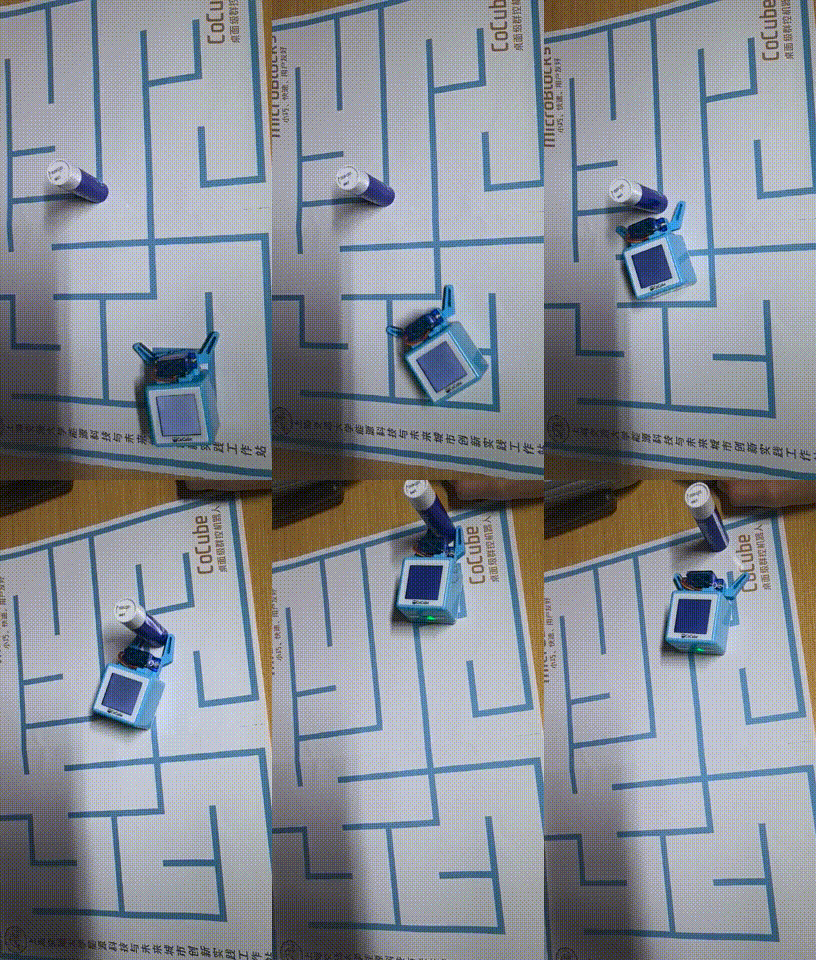
This lesson moves CoCube from "a platform that can move" to "a robot that can act on the world."
The most important part of the gripper lesson is not any single function, but the action order:
- open first
- then approach
- then close
- finally carry and release
Learning goals
- Power on the expansion modules
- Control the gripper to open, close, and move to a target angle
- Combine movement with the gripper into one simple task
- Understand the difference between actuators and sensors
Hardware and APIs used
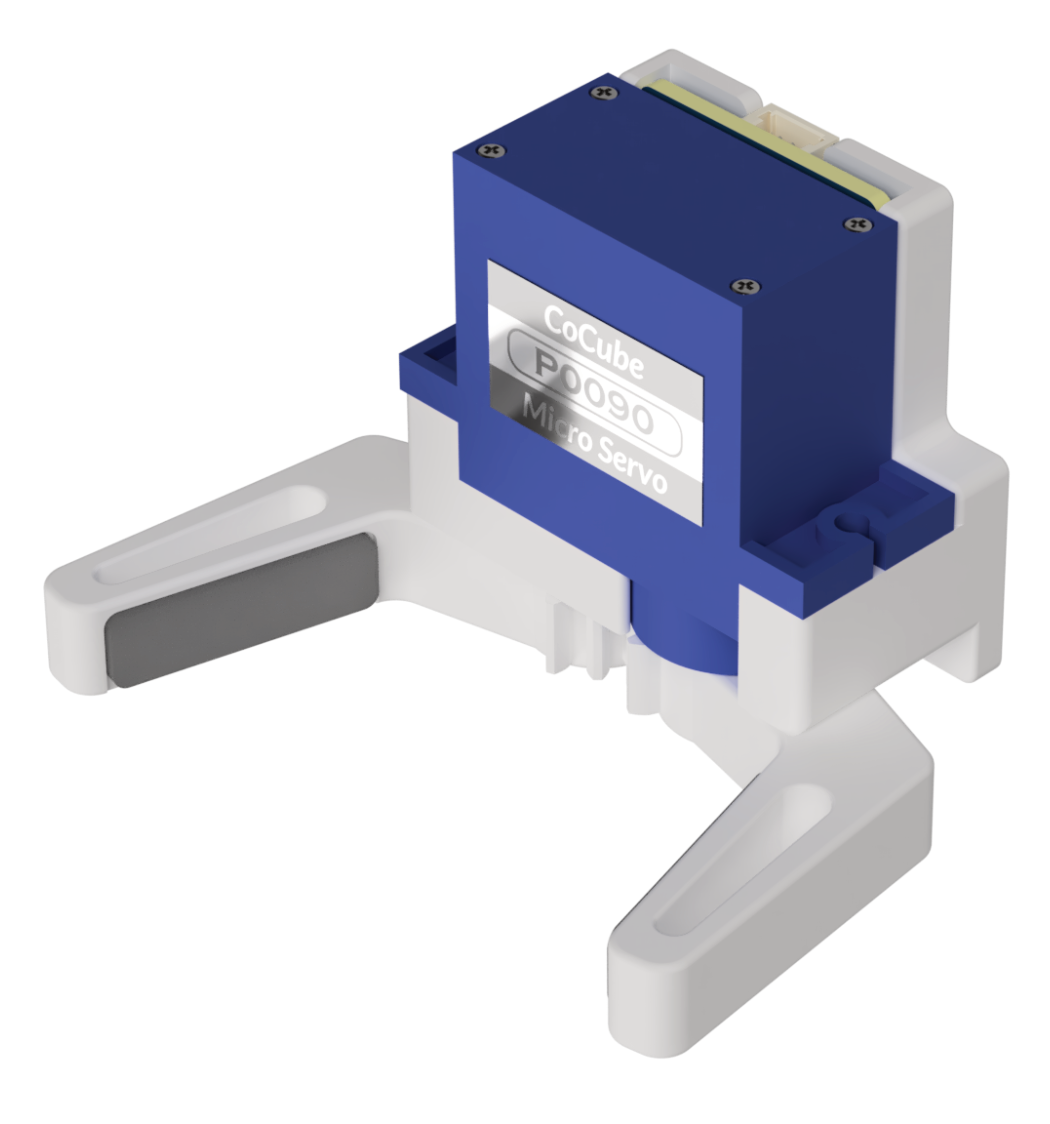
This lesson requires the gripper module.
The main APIs used here are:
cm.power_on(): power on the expansion modules. Peripherals such as the gripper, ToF, and voice module should usually be powered on before use.cm.gripper_open(): open the gripper close to fully opencm.gripper_close(): close the gripper close to fully closedcm.gripper_degree(degree): control the gripper by angle.degreeranges from0~70; smaller values are more open, larger values are more closed.cm.gripper_stop(): stop the gripper movement, useful after testing an anglecocube.move_ms(direction, speed, ms): use time-based movement during transportcocube.move_to(x, y, speed=40): use coordinate-based movement during transport
First, understand what this capability means
Sensors read the world, while actuators change the world.
The gripper is one of the most typical actuators.
When you write gripper programs, remember one simple rule first:
- the order is usually more important than the exact parameters
If the order is wrong, the robot will struggle to hold the object even when every function call itself is correct.
Start coding
1. Test the gripper itself first
import time
import cocube_module as cm

cm.power_on()

cm.gripper_open()
time.sleep_ms(800)

cm.gripper_degree(35)
time.sleep_ms(800)

cm.gripper_close()
time.sleep_ms(800)

cm.gripper_stop()
Observe these three states first:
- how wide the gripper is when fully open
- whether the middle angle is better for small objects
- whether fully closed gives a stable grip
2. Use movement and the gripper in one minimum transport action
import time
import cocube
import cocube_module as cm

cm.power_on()

cm.gripper_open()
time.sleep_ms(600)

cocube.move_ms(cocube.FORWARD, 25, 900)
time.sleep_ms(200)

cm.gripper_close()
time.sleep_ms(800)

cocube.move_ms(cocube.BACKWARD, 25, 900)
time.sleep_ms(200)

cm.gripper_stop()
cocube.brake()
The rhythm of this program is clear:
- open first
- approach next
- then grab
- finally back away
3. Go one step further: transport by coordinate
If the positioning lesson is already working, try a version that moves from a pickup point to a drop-off point.
import time
import cocube
import cocube_module as cm

cm.power_on()
cm.gripper_open()
time.sleep_ms(500)

if cocube.pos.state:
    cocube.move_to(100, 120, 35)
    time.sleep_ms(200)
    cm.gripper_close()
    time.sleep_ms(700)
    cocube.move_to(200, 150, 35)
    time.sleep_ms(200)
    cm.gripper_open()
    time.sleep_ms(500)
else:
    print("Positioning is invalid. Put CoCube back on CoMaps.")
What should you observe while it runs?
When you run gripper programs, focus on these effects:
- whether the opening angle is large enough
- whether the approach speed is too fast
- whether the object slips away right after closing
- whether the robot has reached a good position before releasing
Common issues / reminders
- If the grip is unstable, adjust the order first, then the angle and speed
- Do not back away immediately after closing; give the gripper a moment to settle
- When you use time-based transport, keep the object position fixed
- If you want more stable transport, coordinate-based movement is usually better than pure time control
Challenge
Give yourself one complete mini-task:
- pick up a small object from point A
- carry it to point B
- place it down and retreat to a safe area
If you want to extend it further:
- show the current task status on the screen during transport
- control the route by coordinates instead of time only
Quick reference
The most common pattern in this lesson is:
import cocube_module as cm

cm.power_on()
cm.gripper_open()
cm.gripper_close()
cm.gripper_degree(35)
cm.gripper_open(): open the grippercm.gripper_close(): close the grippercm.gripper_degree(...): set the gripper anglecm.gripper_stop(): stop gripper movementcm.power_on(): power on the expansion modules
If you want to keep looking up peripheral APIs, go to the cocube_module reference.