Lesson 4 · ToF Ranging
What is this lesson about?
This lesson focuses on one core idea: distance.
Once CoCube can read the front distance reliably, the program can make decisions based on the environment instead of repeating one fixed command forever.
Learning goals
- Power on the expansion modules
- Check whether the ToF module is connected correctly
- Read the distance value and judge whether it is valid
- Write a basic "stop when close, move when far" behavior
Hardware and APIs used
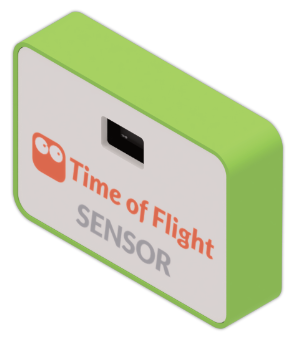
This lesson requires the ToF ranging module.
The main APIs used here are:
cm.power_on(): power on the expansion modules. Most external modules should be powered on before you read from them.cm.tof_connected(): check whether the ToF module is connected and returnTrueorFalse.cm.tof_distance(): read distance in millimeters. A normal value means success;-1means invalid data;-2means measurement timeout.cocube.move(direction, speed): continuous movement.directioniscocube.FORWARDorcocube.BACKWARD, andspeedis the current speed.cocube.brake(): actively brake so CoCube stops as quickly as possible.
First, understand what this capability means
The ToF module is not what "makes the robot move." It is what "tells the robot how far away the front side is."
The program structure in this lesson is very typical:
- read the input first
- judge the input range next
- decide the action last
Start coding
1. Confirm that the module is connected correctly
import time
import cocube_module as cm

cm.power_on()
time.sleep_ms(300)

while True:
    print("connected =", cm.tof_connected(), "distance =", cm.tof_distance())
    time.sleep_ms(200)
Do not rush into making CoCube move yet.
Confirm these two things first:
- whether
cm.tof_connected()is true - whether
cm.tof_distance()returns a stable millimeter value that makes sense
2. Decide whether to move or stop based on distance
import time
import cocube
import cocube_module as cm

cm.power_on()
time.sleep_ms(300)

while True:
    distance = cm.tof_distance()

    if distance < 0:
        cocube.brake()
        print("ToF is not ready yet")
    elif distance < 100:
        cocube.brake()
        print("Too close, stop")
    elif distance > 180:
        cocube.move(cocube.FORWARD, 20)
        print("Move forward")
    else:
        cocube.brake()
        print("Keep a safe distance")

    time.sleep_ms(80)
The most important part of this program is not the exact thresholds, but the order of the checks:
- handle invalid values first
- then handle "too close"
- then handle "too far"
- finally handle the safe middle range
What should you observe while it runs?
When you run this program, focus on these effects:
- after power-on, the module may return invalid values first
- when an object gets closer, does CoCube brake in time?
- when the space in front becomes larger again, does CoCube start moving?
- between the two thresholds, does the state remain stable?
Common issues / reminders
- If
cm.tof_distance()returns a negative value, treat it as invalid data first - After first power-on, wait a short moment before entering the main loop
- Get the threshold logic working before combining it with other peripherals
- Distance thresholds are not fixed answers; tune them for the real environment
Challenge
Try extending this lesson into a simple following task:
- move forward when too far
- move backward when too close
- wait in the middle range
You can decide the two thresholds yourself, for example:
- lower than one distance: move backward
- higher than another distance: move forward
- middle range: brake and wait
If you want to extend it further, try two more things:
- show the different states on the screen
- use different speeds for forward and backward, then compare which is more stable
Quick reference
The most common pattern in this lesson is:
import cocube_module as cm

cm.power_on()
print(cm.tof_connected())
print(cm.tof_distance())
cm.power_on(): power on the expansion modulescm.tof_connected(): check whether the module is onlinecm.tof_distance(): read the distancecocube.move(...): move continuouslycocube.brake(): brake
If you want to keep looking up peripheral APIs, go to the cocube_module reference.